
Understanding the Different Types of Captions
- Cynthia Ohenhen

- May 31
- 3 min read
Updated: Jun 6

In today's digital world, captions have become more important than ever. Whether you're creating a podcast, YouTube video, webinar, training session, or business presentation, captions help make your content accessible, searchable, and easier to understand. But did you know there are several different types of captions? Choosing the right one can make a significant difference in how your audience experiences your content.
1. Closed Captions (CC)
Closed captions can be turned on or off by the viewer. They not only display spoken words but also include important non-speech information such as:
[Music playing]
[Laughter]
[Door slams]
Speaker identification
Example:
John: Welcome to today's meeting.
Mary: Thank you for having me.
[Audience applauds]
Closed captions are often used for people who are deaf or hard of hearing. It may contain non-verbal sounds. They are commonly used on YouTube videos, online courses, webinars, and television broadcasts.
Best For:
Accessibility compliance
Hearing-impaired audiences
Educational content
Corporate training videos
2. Open Captions
Open captions are permanently embedded into a video and cannot be turned off.
Unlike closed captions, they are always visible regardless of the platform being used.
Best For:
Social media videos
Instagram reels
TikTok videos
Facebook videos
Since many users watch videos with the sound turned off, open captions can significantly increase engagement and viewing time.
3. Subtitles
Subtitles are designed for viewers who can hear the audio but may not understand the language being spoken.
Example:
French Audio:"Bonjour, comment allez-vous?"
English Subtitle:"Hello, how are you?"
Subtitles are often used by people without disabilities.They may not contain non-verbal sounds. Subtitiles are meant for people who can hear the audio but need help understanding the language. Subtitles assume the viewer can hear everything but need help reading or translating what's being said. They typically translate spoken dialogue and do not include sound effects or speaker descriptions.
Best For:
International audiences
Foreign-language films
Multilingual businesses
Educational content
4. Clean Verbatim Captions
Clean Verbatim captions improve readability by removing unnecessary speech elements while preserving the meaning of the conversation.
Removed items may include:
Filler words ("um," "uh," "you know")
False starts
Repeated words
Example:
Original:"Um, I think, uh, we should probably start the meeting now."
Clean Verbatim:"I think we should start the meeting now."
Best For:
Business videos
Podcasts
Corporate communications
Educational content
5. Full Verbatim Captions
Full Verbatim captions capture every spoken word exactly as it was said.
This includes:
Filler words
Stutters
Repetitions
False starts
Slang and grammatical errors
Example:
"Uh, I-I think we should, um, start the meeting now."
Best For:
Legal proceedings
Research interviews
Court recordings
Investigative work
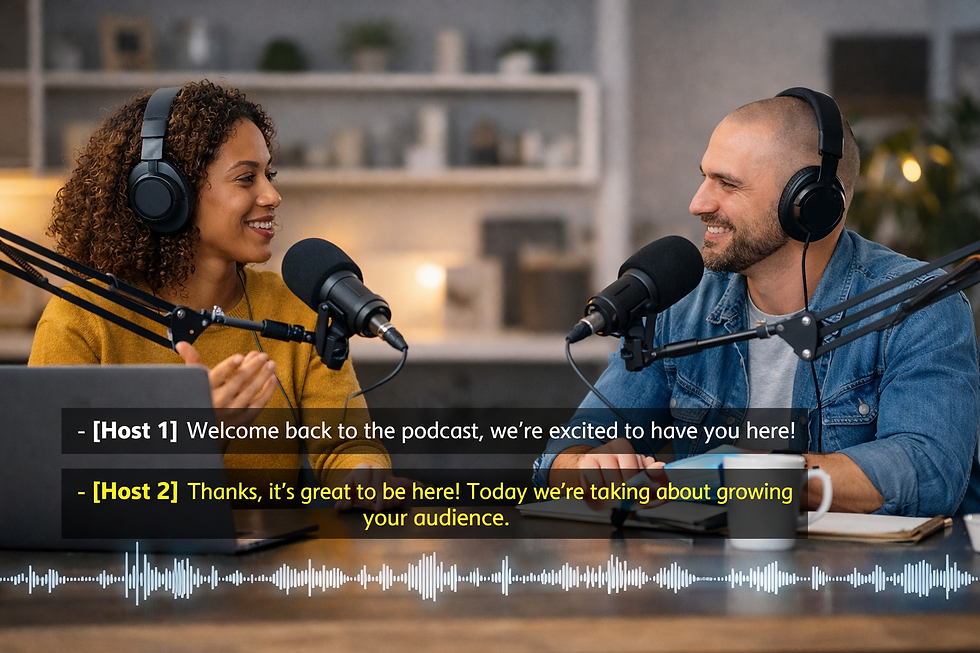
6. Speaker-ID Captions
Speaker-ID captions identify who is speaking throughout the recording.
Example:
Beverley: Welcome everyone.
Jane: Thank you for joining us.
This is especially useful when multiple people participate in discussions, interviews, podcasts, or meetings.
Best For:
Podcasts
Interviews
Focus groups
Board meetings
Conference recordings
7. Timestamped Captions
Timestamped captions include time references throughout the transcript or caption file.
Example:
[00:05:23]Today's agenda includes project updates and budget discussions.
Timestamps allow viewers and editors to quickly locate specific sections of a recording.
Best For:
Research interviews
Medical recordings
Legal proceedings
Video editing workflows
Why Professional Captions Matter
Automatic captions generated by AI can be helpful, but they often contain errors, especially when dealing with:
Multiple speakers
Technical terminology
Medical language
Legal discussions
Accents and dialects
Poor audio quality
Professional captioning ensures your content remains accurate, accessible, and easy to understand.
© 2026 Cyber-Pro Services. All rights reserved.


Comments